
New Online Course Students (signed up after April 2026)
Individuals and Small Groups:
For individual students and small groups, you can follow these instructions for viewing your students' grades: https://helpdesk.startasl.com/support/solutions/articles/9000028987-how-do-i-view-my-grades-
Large Groups:
If you have completed a school license purchase for 10+ students and need access to view your students' grades from your own Dashboard, please open a ticket to request access. Student tracking is not available for our 5-year access course.
If you are already a Group Seat Manager for a large group (25+ students), you can view your students' grades by following these instructions:
1. Log into your account.
2. Visit your Account Dashboard: https://learn.startasl.com/author/welcome
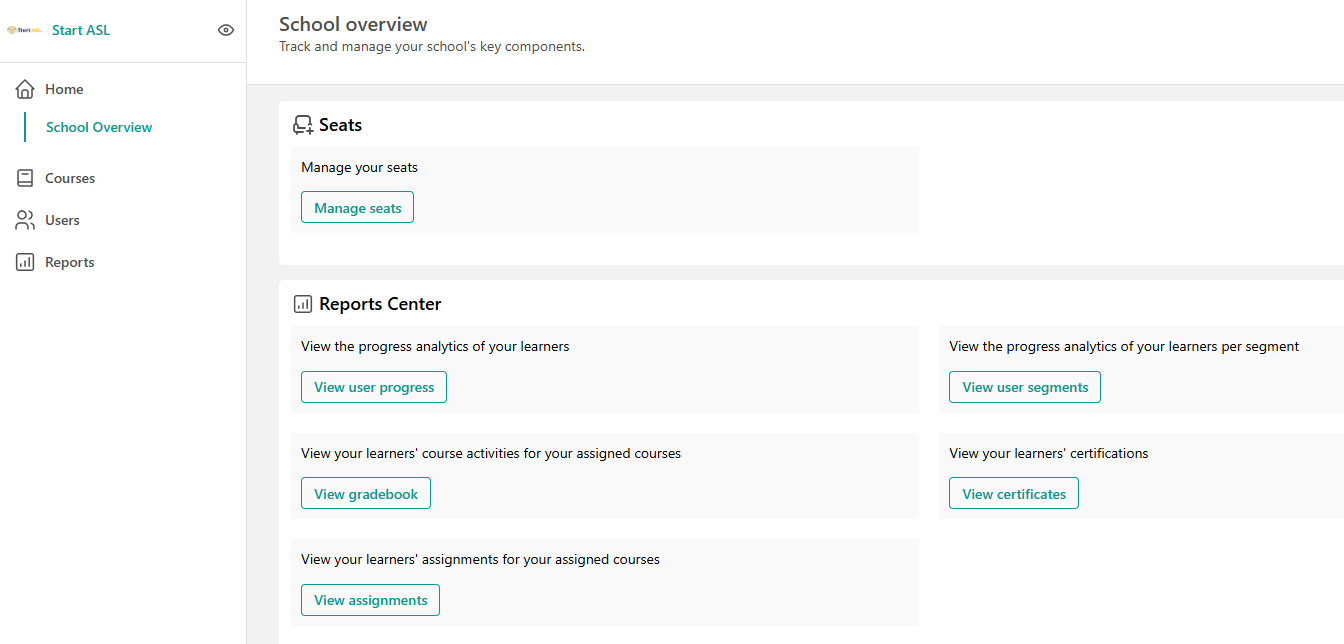
3. From your Dashboard, based on your access level, you can view student progress, gradebook, assignments, and certificates:
Legacy Online Course Students (signed up prior to April 2026)
With the Gold level of the Start ASL Online Course, we offer any documentation you may need in order to award credit to your students. This means that we will provide grade reports and verified completion certificates to you when requested. If your student is signed up for the Gold level of our Online Course, please open a support ticket to make a grade request for your student.
Otherwise, you have four options for viewing your students' grades:
- You can have your student visit their Grade Report page here: https://courses.startasl.com/grade/report/overview and print out their Gradebook for the course you need.
- You can login to Start ASL with your student's account (you will need to get the username and password from your student): https://login.startasl.com and visit their Grade Report page yourself: https://courses.startasl.com/grade/report/overview